Recording Summary: Live Transcription and AI Study Materials from Voice Recordings

·7 min read
Taking useful notes in a lecture is harder than it looks. You're listening, processing, and writing at the same time — and the moment you stop to write, you miss what comes next. Most students end up with a partial record of what was said, written in a shorthand only they understand, with gaps wherever the lecturer moved faster than they could type.
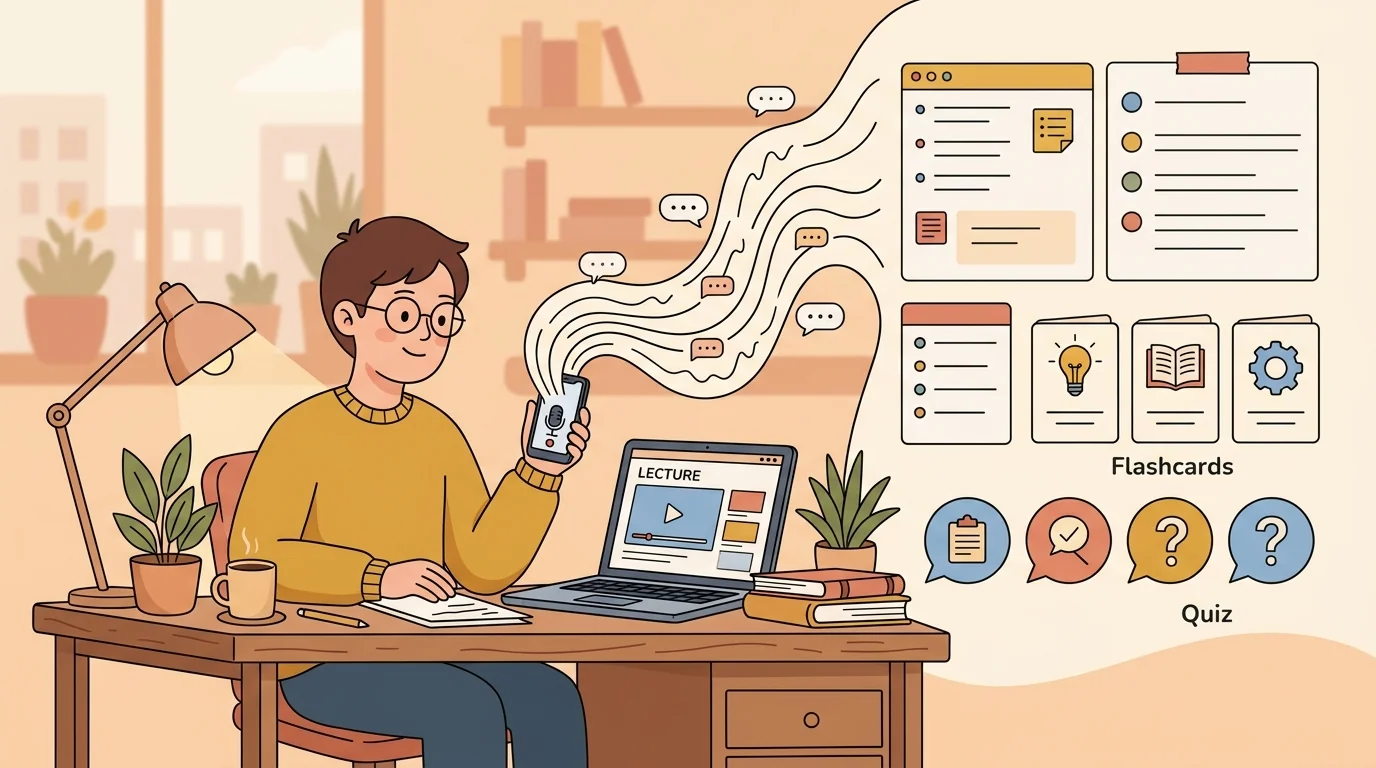
Cuflow's recording summary feature changes this. Record your lecture directly in the app — on your phone or laptop — and Cuflow transcribes the audio in real time as you record. When the lecture ends, it automatically generates a structured summary, a flashcard set, and a quiz from everything that was said. You walk out of class with complete, organised study materials, without having spent the lecture furiously writing.
How Live Transcription Works During a Lecture
The process is straightforward:
- Open Cuflow and start a recording before the lecture begins. The microphone captures the lecture audio.
- Live transcription runs as you record — the transcript appears on screen in real time, so you can glance at it to confirm the AI is capturing what's being said.
- Stop the recording when the lecture ends.
- Cuflow generates your study materials automatically: a structured summary, flashcard set, and quiz questions derived from the full transcript.
The live transcript is searchable immediately after the lecture — so if you want to find where the lecturer discussed a specific concept, you don't need to scrub through the audio. You search the text.
What Gets Generated From a Voice Recording
Recording Summary
The summary isn't a word-for-word transcript. Cuflow analyses the content and produces a structured breakdown — main topics, key points under each topic, and important definitions. It follows the conceptual structure of the lecture rather than its chronological order, which makes it more useful for revision than a raw transcript.
A 90-minute lecture typically produces a summary you can read in 10-12 minutes that captures everything worth knowing from the session.
Flashcards
Flashcards are generated from the lecture content automatically. Term-definition pairs, concept-explanation pairs, and question-answer pairs are all pulled from what the lecturer actually said — not from a generic textbook on the topic.
This matters because your exam tests what your lecturer covered. Flashcards generated from your specific lecture are better exam preparation than flashcards from a public Quizlet set on the same subject.
Quiz Questions
Cuflow generates multiple-choice and short-answer questions from the lecture content. These can be used immediately after class to test initial retention, or saved for later revision sessions. Getting a question wrong on the same day as the lecture is vastly more efficient than discovering the gap two weeks later during revision.
Why This Is Better Than Traditional Note-Taking
You Can Listen Fully During the Lecture
When the transcription is handled automatically, your attention is free. You can follow the lecturer's argument rather than racing to capture it. You can ask questions. You notice connections you'd miss if you were focused on writing.
The transcript captures what was said. Your job during the lecture is to understand it.
The Record Is Complete
Handwritten notes have gaps — wherever you fell behind, wherever you chose to listen rather than write. A live transcript has no gaps. Every word the lecturer said is captured, searchable, and available to draw on when generating study materials.
You Get Study Materials, Not Raw Notes
The problem with most lecture recording apps is that they produce an audio file. To do anything useful with it, you still need to listen back, take notes, and create study materials manually. Cuflow skips this step entirely — the recording feeds directly into study materials without additional effort on your part.
Practical Tips for Getting the Best Results
Position the device close to the speaker. The closer the microphone is to the sound source, the more accurate the transcription. A laptop on your desk captures a lecture reasonably well; a phone held on the desk is better. If you're at the back of a large lecture theatre, accuracy will drop.
Check the live transcript during the lecture for errors. Technical terminology, names, and subject-specific vocabulary are the most common sources of transcription errors. A quick glance at the live transcript every few minutes lets you spot these — and you can correct them afterwards before generating your summary.
Add your own annotations after the lecture. The AI captures what was said, but it doesn't know which parts your lecturer emphasised as particularly exam-relevant, or which examples connected to your essay topic. Spend five minutes after the lecture adding those notes to the generated summary.
Run the quiz the same day. The forgetting curve is steepest in the first 24 hours. Taking the AI-generated quiz immediately after the lecture — while the material is still fresh — is one of the highest-value study habits you can build. It takes 10-15 minutes and produces significantly better retention than waiting until revision week.
Who Benefits Most from Recording Summaries
Students in content-heavy courses where lectures cover a lot of ground quickly — medicine, law, economics, history. The volume of information makes complete manual note-taking impractical; recording with AI summarisation means nothing is lost.
Students with learning differences including dyslexia or attention difficulties, for whom writing while listening is especially cognitively demanding. Recording allows full attention to be directed at comprehension during the lecture.
Students who miss lectures and need to catch up from a recording. Rather than listening back to a full recording, they can read the AI summary in a fraction of the time, generate flashcards, and quiz themselves on the content.
Non-native speakers studying in their second language, for whom following a fast-paced lecture and writing simultaneously is particularly difficult. A complete transcript allows them to review precise wording of concepts after the fact.
Recording Summary vs Other Lecture Tools
| Feature | Cuflow Recording | Manual Notes | Recording App |
|---|---|---|---|
| Complete transcript | ✓ | ✗ | ✓ (audio only) |
| Live transcription | ✓ | — | ✗ |
| Auto-generated summary | ✓ | ✗ | ✗ |
| Flashcards from lecture | ✓ | ✗ | ✗ |
| Quiz questions | ✓ | ✗ | ✗ |
| Searchable text | ✓ | ✓ (typed) | ✗ |
Getting Started
The recording feature is available directly in Cuflow — no separate app needed. Open a new recording session before your lecture starts, let it run, and your study materials are waiting when you're done.
For students who record lectures already, this replaces the step where you'd normally listen back and manually create notes from the audio. For students who don't currently record, it's a straightforward way to make every lecture session produce immediate revision-ready materials.
FAQ
Does the recording need to be done in the Cuflow app, or can I upload an existing recording?
Both. You can record directly in Cuflow for live transcription, or upload an existing audio file (MP3, M4A, WAV) and Cuflow will transcribe and generate study materials from it.
How accurate is the live transcription?
Accuracy depends on recording conditions — microphone proximity, background noise, and the lecturer's pace and accent. In good conditions (close microphone, quiet environment, clear speech), accuracy is high enough that the generated summary and flashcards are reliable. For technical vocabulary, a quick post-lecture review of the transcript is recommended.
Can I record in languages other than English?
Cuflow supports transcription in multiple languages. Check the current language list in the app — major languages including Spanish, French, German, Mandarin, and Japanese are supported.
Is it legal to record lectures?
Recording policies vary by institution and lecturer. Most universities allow personal recordings for study purposes, but some lecturers ask that recordings not be made. Check your institution's policy and ask the lecturer if you're unsure.
How long does it take to generate the summary and study materials after recording?
For a standard lecture length (45-90 minutes), processing typically takes two to five minutes after the recording ends.